
Tenebris Somnia looks ideal for Steam Deck: pixel art, gamepad support, Deck compatibility data on file. Status, settings, and controls.
Tenebris Somnia Steam Deck Guide
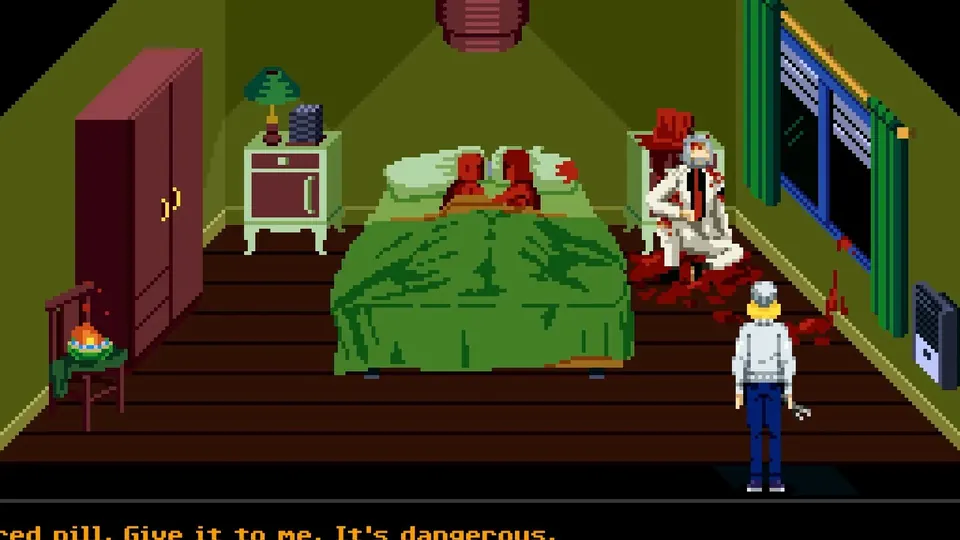
Tenebris Somnia shapes up as a strong Steam Deck candidate: a 2D pixel-art horror game with modest official requirements, controller-friendly design, and Steam Deck compatibility data already recorded for its Steam AppID 2121510. SteamDB entries indicate full functionality with the default controller configuration, legible interface text, Deck controller icons, and default graphics settings that perform well. Valve official Deck verification badge status for launch remains unconfirmed, so treat the signs as encouraging rather than final.
- Compatibility data on file: controller config, icons, legible text, solid default performance
- Requirements are tiny: 5GB install, undemanding pixel-art renderer
- Input: controller recommended by previewers, keyboard and mouse supported
- Try first: the free Steam demo installs directly on Deck
What Compatibility Data Exists
SteamDB hosts a Steam Deck compatibility section for Tenebris Somnia reporting four positive signals: all functionality accessible with the default controller configuration, visible Steam Deck controller icons, in-game interface text legible on the Deck display, and default graphics configuration performing well. A single note mentions external Bluetooth and USB controllers may need manual switching via the Quick Access Menu rather than working by default.
Official source: Tenebris Somnia on SteamDB
| Compatibility check | Reported result |
|---|---|
| Default controller configuration | All functionality accessible |
| Controller icons | Deck icons shown |
| Interface text legibility | Legible on Deck display |
| Default graphics performance | Performs well |
| External controllers | May need manual switching in Quick Access Menu |
These entries resemble a passing verification report, but Valve badge status (Verified, Playable, or Unsupported) is not confirmed on the public store page, and compatibility data can change between pre-release builds and launch patches. Recheck the Steam product page Deck badge during launch week before treating handheld play as guaranteed. Our platforms comparison tracks where Deck sits among all version choices.
SteamDB data is encouraging but is not the same as a Valve-issued Verified badge. Confirm the badge on the Steam store page after October 16, 2026.
Why This Game Fits Handheld Play
Three properties make Tenebris Somnia naturally Deck-friendly. First, the renderer draws 2D pixel art rather than 3D scenes, so the Deck GPU cruises at low utilization with cool thermals and extended battery life compared with modern 3D horror. Second, the 5GB install footprint leaves Deck internal storage nearly untouched, and load times for small asset bundles are short even on the base 64GB eMMC models. Third, FMV cutscenes are pre-rendered video, which the Deck hardware decodes efficiently at full quality.
Horror atmosphere arguably gains on handheld. Playing in bed with headphones in a dark room is the ideal setting for a slow-burn story about nightmares, and the OLED Deck display renders the high-contrast pixel art and dark live-action sequences with deep blacks. Textbook horror-on-the-go, provided the final build holds the performance that current compatibility data promises.
The Steam demo installs on Deck like any Steam game and exercises the exact renderer, video playback, and controls of the full release. A smooth demo means a smooth launch.
Controls and Input on Deck
Preview coverage of the PC build recommends a controller while confirming keyboard and mouse work well — hands-on reports from events like BitSummit explicitly recommended a gamepad — which maps perfectly onto Deck strengths: twin sticks, face buttons for inventory and interaction, and trackpads as a mouse fallback for any fiddly adventure-game cursor moments. The reported Deck controller icons mean on-screen prompts will match the hardware in your hands rather than showing Xbox or PlayStation glyphs.
Expect a comfortable default layout: left stick movement, run on a trigger or shoulder (the game includes a run button per previews), face buttons for interact, attack, and inventory, and Start for the menu. If the defaults feel off, Steam Input remapping covers everything without touching game files. Trackpad-as-mouse deserves one preset slot for any object-examination screens that favor pointer precision. Full input background lives in our controls guide.
One caution from the compatibility note: external controllers connected over Bluetooth or USB may not take over automatically and might need manual selection through the Quick Access Menu. Docked players using a TV should verify gamepad handoff before settling in for a long session, and keep the Deck built-in controls as fallback.
External gamepads may need manual switching via Quick Access Menu. Test your docked setup in the demo, not five minutes before a launch-night stream.
Settings and Performance Expectations
Official PC requirements are so low that Deck performance tuning should be minimal: a 2.4GHz dual-core floor, 8GB of RAM matching Deck memory, and a 4GB VRAM line the Deck APU handles through shared memory. Our system requirements page carries the full verified spec table, and our settings and performance page will add Deck-specific presets after launch testing.
Sensible starting points: cap the frame rate at 40 or 60fps depending on preference, favor the default graphics preset that compatibility data already blesses, and keep FMV playback at full quality since video decode is cheap on this hardware. Battery estimates for pixel-art titles typically run two to four times longer than AAA 3D sessions, so expect marathon-friendly longevity, cooler fans, and quieter operation during late-night horror sessions.
Proton should be a non-issue since the game targets Windows with DirectX 11 and shows Deck compatibility data, implying a tested Proton path or native-friendly build. If launch-day issues appear, forcing a specific Proton version through game properties resolves most indie launch quirks within hours as community reports converge.
Deck Versus Other Portable Options
Deck buyers should weigh two alternatives. The Nintendo Switch and Switch 2 versions offer dedicated handheld hardware with sleep-resume simplicity and, on Switch 2, a complete-on-cartridge physical edition detailed in our physical edition guide. The Xbox ecosystem counters with a demo carrying handheld-optimized tags and Play Anywhere flexibility across PC and console. Deck wins on achievement tracking potential, modding-adjacent flexibility, and ownership of the Steam copy with Family Sharing.
For players who split time between desk and couch, Steam cloud saves (expected though not separately itemized) plus Deck suspend-resume make progress portable without menu diving. Whatever portable you choose, prep with the beginners guide and tips and tricks so handheld sessions stay productive.
FAQ
Is Tenebris Somnia Steam Deck Verified?
Valve badge status is unconfirmed. SteamDB compatibility data reports positive results across controller support, text legibility, and default performance, but recheck the Steam store badge during launch week.
Will Tenebris Somnia run well on Steam Deck?
All evidence points to yes: minimal official requirements, a cheap 2D renderer, 5GB install, and compatibility data stating default settings perform well. Confirm with the free demo on your own Deck.
How big is the install on Deck?
5GB per the official Steam requirements. Even the smallest Deck storage configurations absorb that without surgery.
Are controls comfortable on Deck?
They should be. Previewers recommend a controller for the PC build, the game shows Deck controller icons, and trackpads cover any pointer-style interaction. See our controls page at controls guide.
Should I choose Deck or Switch for portable horror?
Deck offers the Steam ecosystem with potential achievement tracking and easy demo testing; Switch offers dedicated handheld simplicity and a physical cartridge on Switch 2. Compare all versions in platforms compared.
Related Guides
- Settings and Performance — Deck presets and tuning after launch.
- Controls Guide — layouts for gamepad, keyboard, and Deck.
- System Requirements — the official specs behind Deck expectations.
- Platforms Compared — Deck against consoles and Switch handhelds.
- Demo vs Full Game — the free trial that doubles as a Deck test.
More Tenebris Somnia Guides
Free Tenebris Somnia demo on Steam, Xbox, and GOG: what it covers, how long it takes, and what the full October 16 game adds.
Complete Tenebris Somnia demo walkthrough: apartment arrival, chemical puzzle, monster fights, and FMV beats.
Who made Tenebris Somnia? Andres Borghi, Saibot Studios, New Blood Interactive, and the award-winning Argentine FMV crew facts.
Tenebris Somnia difficulty: no modes announced yet, so this guide covers demo challenge facts and launch prep.
Tenebris Somnia endings: no ending count is confirmed yet, so this guide covers the story setup and post-launch unlock plan.
All Tenebris Somnia enemies confirmed so far: the two-faced monster, Desiderium creatures, and cult foes, plus combat prep.
Tenebris Somnia exploration guide: Ivan's apartment, the Desiderium, room-clearing routes, and secrets for the demo and launch.
Tenebris Somnia FAQ: release date, platforms, demo, price, story, and system requirements answered.